Miscrosoft SQL Server
Reference documents in Miscrosoft SQL Server.
Documents in Miscrosoft SQL Server
Page 1 of 2-
This book is for anyone who has an interest in SQL Server 2008 R2 and wants to understand its capabilities. In a book of this size, we cannot cover every feature that distinguishes SQL Server from other databases, and consequently we assume that you have some familiarity with SQL Server already. You might be a database administrator (DBA), an application developer, a power user, or a technical decision maker. Regardless of your role, we hope that you can use this book to discover the features in SQL Server 2008 R2 that are most beneficial to you.
-
This book explores the exciting enhancements and new capabilities engineered into SQL Server, ranging from improvements in operation to those in reporting and management. This book is for anyone who has an interest in SQL Server 2012 and wants to understand its capabilities, including database administrators, application developers, and technical decision makers.
-
As a developer, DBA or manager, you may not want to know all about XML, replication or Reporting Services, but if you next project uses one or more of these technologies heavily then the best place to start is from the 'jungle roof'.
-
SQLServerCentral.com brings you a variety of articles on all aspects of SQL Server from administration to XML and everything in between. Our articles are written by real DBAs and developers, based on the articles and scripts they use in their daily work. And this book is a collection of the best articles we've seen from the past year from over 50 authors.
-
A Distribution Statistics object is a sampled map of the distribution of data in a table. Such statistics help the Query Optimizer of SQL Server's Database Engine to translate the 'logical' SQL Query into the best strategy for doing all the physical operations of joining, sorting, and selecting the data. Most of the time, this work happens effectively without the database administrator having to be aware of what is going on, but occasionally, if the statistics no longer reflect what is actually in the table, then queries can suddenly run grindingly slow. At this point, the DBA must intervene to correct the problem.
-
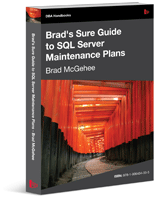
Let Brad McGehee take you on a comprehensive tour of the SQL Server Maintenance Plan Wizard and Designer. Find out how the Maintenance Plan tools let you configure and schedule core database maintenance tasks such as integrity checks, index reorganizations and rebuilds.
-
Inside this book, you will find dozens of practical, defensive programming techniques that will improve the quality of your T-SQL code and increase its resilience and robustness.
-
Writing good TSQL code is not an easy task. Then you submit the code to the query optimizer and strange things happen. The one good view you have into what the optimizer decided to do is provided by the execution plans. Understanding execution plans is a lot of work. Trust me on that. What you need to really understand your queries is as much knowledge as you can get. That's where this excellent collection of articles on some of the more common execution plan operators comes in.
-
The SQL Server Query Optimizer is perceived by many to be a magic black box, transforming SQL queries into high performance execution plans in the blink of an eye through some unknowable process. The truth is that, while the Query Optimizer is indeed the highly-complex result of decades of research, learning how it works its magic is not only possible, but immensely useful to database developers and administrators alike.
-
Storing large object data in the database offers a number of benefits, but introduces performance challenges. Conversely, storing large object data in the file system has overriding performance advantages, but fails to offer some of the basic data integrity, security and manageability features that are required for business data, and which SQL Server provides. Up to now, most people have adopted file system storage by necessity, and often struggled to overcome the associated shortcomings. This is exactly where SQL Server's new FILESTREAM feature fits in. Introduced in SQL Server 2008, it is implemented as an extension to the VARBINARY(MAX) data type and allows large object data to be stored in a special folder on the NTFS file system, while bringing that data under the transactional control of SQL Server.
-
The massive amount of data collected by businesses often creates a lot of work without doing much good. To make data work for them, businesses need solutions that summarize and organize it in ways that will influence the decisions they make each day.
-
In BI Solutions Using SSAS Tabular Model Succinctly by Parikshit Savjani, delivering a business intelligence solution is broken down into simple steps to help you turn raw data into an interactive reporting dashboard. Savjani walks you through the layers of a BI solution, how to develop a tabular data model with SSAS, and how to prepare the data model for deployment before turning it into an interactive dashboard in Microsoft Power View. If you're just getting started with the Microsoft BI stack or looking for another analysis tool for your data, download the e-book today.
-
In this book, the authors explain how SQL Server 2014 incorporates in-memory technology to boost performance in online transactional processing (OLTP) and data-warehouse solutions. They also describe how it eases the transition from on-premises solutions to the cloud with added support for hybrid environments.
-
SQL Server Integration Services is part of Microsoft's business intelligence suite and an ETL (extract, transform, and load) tool. It does more than just move data between databases. It can be used to clean and transform data so that it can be used by data warehouses or even OLAP-based systems. With SSIS Succinctly by Rui Machado, you will learn how to build and deploy your own ETL solution in a drag-and-drop development environment by using SSIS packages, control flows, data flows, tasks, and more.
-
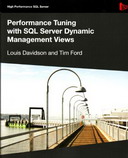
Dynamic Management Views (DMVs) are a significant and valuable addition to the DBA's troubleshooting armory, laying bare previously unavailable information regarding the under-the-covers activity of your database sessions and transactions. Why, then, aren't all DBAs using them? Why do many DBAs continue to ignore them in favour of "tried and trusted" tools such as sp_who2, DBCC OPENTRAN, and so on, or make do with the "ready made" reports built into SSMS? Why do even those that do use the DMVs speak wistfully about "good old sysprocesses"? There seem to be two main factors at work. Firstly, some DBAs are simply unaware of the depth and breadth of the information that is available from the DMvs, or how it might help them troubleshoot common issues.

-Succinctly.png)